


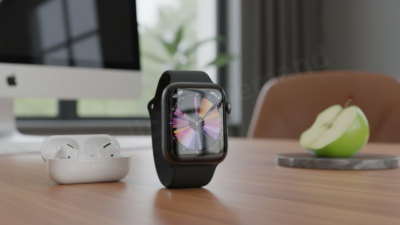
Apple just dropped a new update for the watchOS beta, and while it might seem like a minor iterative step on the surface, the performance tweaks tell a different story. Following the launch of watchOS 11, this 2026 update moves away from flashy new gimmicks and focuses on what actually matters: making the device on your wrist feel faster, last longer, and provide more accurate data Apple watchOS 2026 Beta.
If you’re the type of user who values a snappy interface and reliable health metrics, there is plenty to dig into here.
What’s Apple watchOS 2026 Beta?
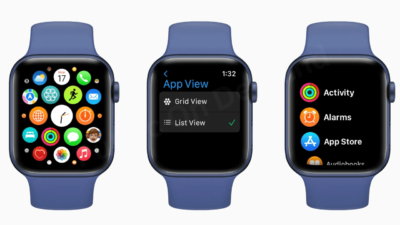
This release isn’t about reinventing the wheel. Instead, it’s about fine-tuning the engine. Apple has clearly listened to feedback regarding sensor “noise” and battery drain—two of the most common complaints among power users.
1. Vitals App Fine-Tuning
The Vitals app has become a cornerstone of the Apple Watch experience. In this beta, the underlying algorithms have been recalibrated to offer better granularity. By filtering out “outlier” data points during sleep, the app now provides a more consistent baseline. This means fewer heart rate or respiratory rate alerts that don’t actually reflect your physical state, leading to a much more reliable overnight tracking experience.
2. A More Intuitive Smart Stack
The Smart Stack was designed to give you the right info at the right time, but it hasn’t always been perfect. This update leverages improved on-device machine learning to better predict your needs. Whether it’s surfacing your boarding pass as you approach the airport or showing your rain radar just before a storm hits, the widgets feel significantly more “aware” of your context and location.
3. Real-World Battery Gains
Battery life is the holy grail of wearables. Early testers running the beta on the Apple Watch Ultra 2 and Series 9 are reporting a noticeable bump in efficiency. Apple appears to have optimized how the watch handles background data refreshes, ensuring that apps aren’t sipping power when they don’t need to be. It’s a subtle change that adds up to extra hours by the end of the day.
4. System Snappiness
We’ve all experienced that slight stutter when swiping through complicated watch faces or opening heavy apps. This beta addresses those frame-rate drops. The UI transitions feel “greased,” providing a level of fluidity that makes even older hardware feel a bit more modern.
How to Install the watchOS Beta – Apple watchOS 2026 Beta
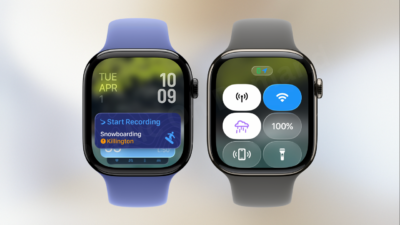
Before you jump in, remember that beta software is, by definition, unfinished. If you are part of the Apple Developer or Public Beta program, here is the most efficient way to get it running:
- Prep your hardware: Ensure your Apple Watch is on its charger and has at least 50% battery.
- Check your iPhone: Your paired iPhone must be running the corresponding iOS beta version first.
- The Download: Open the Watch app on your iPhone.
- Navigation: Go to General > Software Update > Beta Updates.
- Installation: Select the 2026 beta and follow the prompts.
Pro Tip: Keep your iPhone close to your watch throughout the process. Interrupted installations can be a headache to fix.
The Big Question: Should You Update? – Apple watchOS 2026 Beta
Deciding whether to install a beta is always a bit of a gamble.
You should go for it if:
- You’re a tech enthusiast who loves seeing features before the general public.
- You’ve been experiencing specific bugs in the current stable version that this beta addresses.
- You have a secondary Apple Watch you can use for testing.
You should probably wait if:
- Your Apple Watch is your primary tool for managing a medical condition.
- You can’t afford any downtime or potential “resprings” (random restarts).
- You rely on 100% app compatibility for third-party fitness software.
The Bottom Line
The 2026 watchOS beta update is a “quality of life” release. It doesn’t introduce a groundbreaking new way to use your watch, but it makes the existing experience feel premium and polished. Between the battery optimizations and the smarter widget logic, it’s a strong indicator that Apple is prioritizing the fundamentals of the wearable experience.
Expect a few more cycles of these refinements before the software reaches a stable, public release later this year.
This article is based on analysis of multiple publicly available news sources